Most businesses accumulate manual work gradually.
A new customer fills out a form, so someone copies the information into a spreadsheet. A salesperson sends an email, then remembers to follow up three days later. Someone publishes a blog post and spends the next hour turning it into social media content. At the end of the month, an employee gathers information from several systems and builds a report by hand.
None of these tasks seems particularly unreasonable on its own. The problem appears when you look at the system as a whole. A business can spend hundreds of hours each year moving information between people, applications, spreadsheets, emails, and calendars without producing anything that directly creates value for the customer.
This is where automation becomes useful. The purpose of automation is not to eliminate every manual action. Some decisions require judgment, context, and human interaction. The more useful question is whether a person needs to perform a particular step at all.
A good automation takes a predictable process and allows software to execute the repetitive parts consistently. That can reduce administrative work, shorten response times, and make it less likely that something gets forgotten.
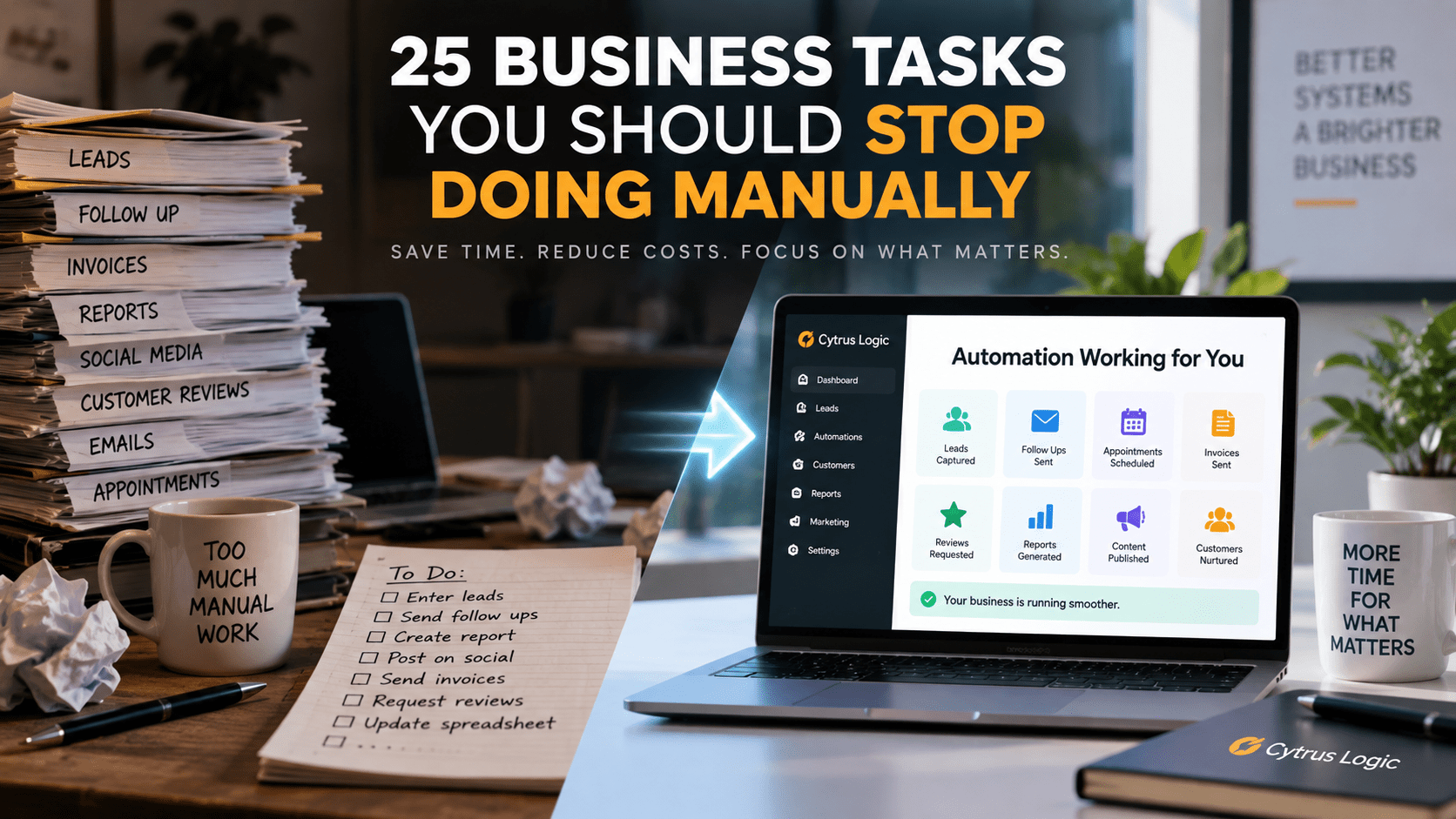
Here are 25 business tasks that are often good candidates for automation.
1. Entering Leads Into Your CRM
When someone fills out a contact form, calls your business, or submits a request for information, their information should not need to be manually copied into another system.
The underlying problem is information duplication. The same customer data exists in one system, but someone has to reproduce it in another. Every additional copy creates another opportunity for an error, and the cost increases as lead volume increases.
A form can create the contact record automatically, assign the appropriate source or sales representative, and trigger the next step in the process.
The important part is not the form itself. It is the movement of information from one part of the business to another without requiring someone to act as the connection between the two systems.
2. Sending Initial Lead Responses
A potential customer should not have to wait until someone notices a new inquiry before receiving a response.
An automated response can acknowledge the inquiry immediately, provide useful information, and establish what happens next. The salesperson can then take over when human interaction becomes necessary.
This creates a division of labor between software and people. Software handles the predictable first response, while the employee handles the conversation that requires judgment.
3. Following Up With Prospects
Follow-up is one of the clearest examples of a process that can become unreliable when it depends entirely on memory.
A salesperson may intend to contact someone tomorrow, but tomorrow becomes next week. The prospect may receive one follow-up instead of three, or none at all.
A CRM can track the stage of the opportunity and trigger follow-up messages according to predefined rules. The salesperson still controls the relationship, but the system can make sure that an intended action does not disappear from someone’s task list.
4. Sending Appointment Reminders
Appointments generate a predictable sequence of communication.
Someone books an appointment. They receive confirmation. A reminder is sent before the appointment. Another message may be appropriate on the day itself.
There is little reason for an employee to manually send each of these messages. Once the appointment exists in the scheduling system, the communication can be generated from the appointment data.
The employee’s time can then be spent on the appointment rather than administering it.
5. Rescheduling Appointments
Rescheduling can create a surprising amount of administrative work because it requires several systems to remain synchronized.
A customer changes the appointment time. The calendar needs to change. The customer needs confirmation. The employee may need to be notified. A reminder that was scheduled for the original appointment may also need to be updated.
These are predictable dependencies, which makes them suitable for automation. When the underlying appointment changes, related actions can change with it.
6. Requesting Customer Reviews
Many businesses understand that reviews matter but treat requesting them as something an employee should remember to do.
That creates an inconsistent process. Some customers receive a request. Others do not. The timing may vary considerably.
A better system can trigger a review request after a defined event, such as completing a service or receiving payment. The request can then be sent consistently without requiring someone to remember each customer individually.
7. Sending Review Reminders
The first request does not always produce a review.
A follow-up message can be scheduled after a reasonable interval, provided the customer has not already completed the requested action. This is a simple conditional workflow: if the desired event has not occurred, perform the next step.
The important concept is that automation can respond to state, not just time. The system does not simply send messages according to a calendar. It can check whether something has already happened before deciding what to do next.
8. Sending Invoices
If an invoice is generated manually every time a predictable business event occurs, there may be an opportunity to automate the process.
For example, a completed service could trigger invoice creation or send an invoice that has already been generated from the relevant customer and service information.
This reduces the amount of administrative work surrounding a transaction while also reducing the delay between completing the work and requesting payment.
9. Sending Payment Reminders
Unpaid invoices create another predictable sequence.
An invoice is issued. A payment becomes overdue. A reminder should be sent. If payment remains outstanding, another action may be appropriate.
There is little value in requiring someone to monitor every invoice manually. A system can monitor the status and initiate the appropriate communication based on the age and state of the invoice.
Human intervention can remain available for unusual situations or important customer relationships.
10. Generating Monthly Reports
Many businesses spend hours collecting information from different systems just to produce a report that contains the same categories every month.
The process usually involves exporting data, cleaning spreadsheets, calculating numbers, copying information into another document, and formatting the result.
If the underlying data is structured consistently, much of this process can be automated. The report can pull information directly from the systems that already contain it and produce the same calculations every reporting period.
The benefit is not merely saving time. Automated reporting also creates a more consistent relationship between the underlying data and the conclusions drawn from it.
11. Copying Information Between Applications
This is one of the most common forms of invisible administrative work.
A customer enters information into one application. An employee copies that information into another. Someone then moves part of it into a spreadsheet, and another person uses the spreadsheet to update a third system.
The business has effectively created a human API.
Whenever the same information repeatedly moves between systems according to predictable rules, integration or automation may be able to perform the transfer instead.
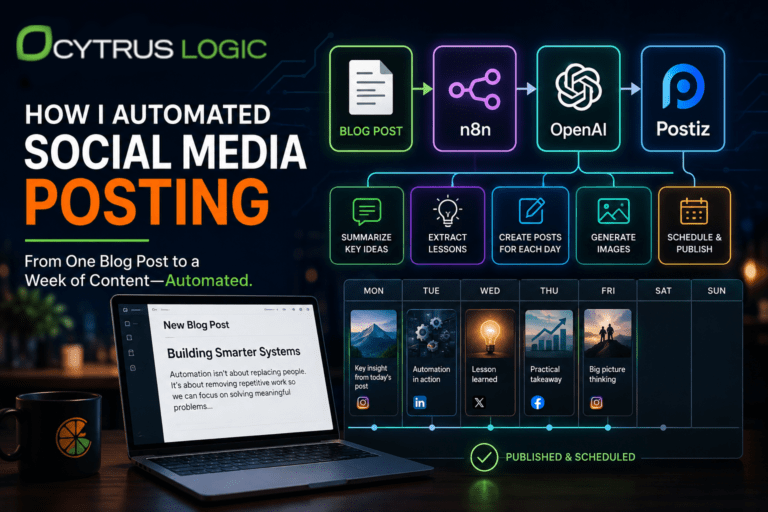
12. Creating Social Media Posts From Blog Articles
A company may spend hours researching and writing a single article and then treat publication as the end of the process.
In reality, the article contains multiple pieces of information that can be reused. The main argument can become a LinkedIn post. A particular example can become another post. A statistic can become a short-form piece of content. A section of the article can become an email.
The important distinction is between creating new information and translating existing information into different formats.
Automation can assist with the second process while leaving editorial judgment with a person.
13. Scheduling Social Media Content
Even after content has been created, someone may still have to manually publish it several times throughout the week.
A scheduling system can handle publication once the content has been reviewed and approved.
This creates a useful separation between content creation and distribution. A person decides what should be published, while software handles when and where the approved material is published.
14. Sending Email Newsletters
A newsletter often involves the same sequence every time: collect content, format it, add links, select recipients, schedule the message, and record the results.
Much of this can be systematized.
The editorial decisions still belong to a person, but repetitive preparation and distribution do not necessarily require manual work each time.
15. Segmenting Customers
Customer segmentation is often performed manually in spreadsheets even though the criteria are predictable.
A business might distinguish between residential and commercial customers, new and existing customers, high-value customers, inactive customers, or customers who purchased a particular service.
If those categories can be defined using information already stored in the CRM, the classification can happen automatically.
This becomes particularly useful because segmentation is rarely the final objective. The purpose is usually to determine what should happen next.
16. Sending Customer Follow-Up Campaigns
Different customers require different communication depending on what they have already done.
Someone who purchased yesterday may need a different message from someone who has not purchased in two years. A customer who requested a quote but never accepted it belongs to another category entirely.
A customer database can provide the state information needed to determine which communication is appropriate.
The resulting system is more sophisticated than simply sending the same newsletter to everyone. It responds to the customer’s history.
17. Re-engaging Inactive Customers
An inactive customer represents a specific state in a customer relationship.
If a customer has not purchased or contacted the business for a defined period, that condition can trigger a re-engagement campaign.
The system can identify the customer, determine the appropriate message, send it, and record the response.
This does not guarantee that the customer will return. It does mean that the opportunity does not depend entirely on someone remembering which customers have gone quiet.
18. Updating Internal Notifications
Employees often spend time communicating information that already exists somewhere in the company’s systems.
A new lead arrives. Someone posts in a chat channel. A customer cancels. An appointment changes. A payment is received.
When the underlying event can be detected automatically, the appropriate employee or team can be notified without someone manually writing an internal message.
The system becomes responsible for communicating changes in state to the people who need to know about them.
19. Creating Tasks From Business Events
A task often exists because something happened.
A customer submitted a quote request. A contract was signed. A payment failed. A support ticket was created.
Instead of relying on someone to notice the event and create a task, the event itself can create the task automatically.
This is one of the simplest ways to connect business processes because it converts information into action without requiring an intermediate manual step.
20. Collecting Customer Information
Businesses often send forms by email, receive the response, and then manually transfer the information into their internal systems.
This creates unnecessary translation between the customer and the business.
A properly designed form can collect structured information directly. The system can validate the response, store it, associate it with the correct customer, and trigger whatever process should follow.
The result is a shorter information path between the customer and the system that needs the information.
21. Generating Proposals From Standard Information
Many proposals are partly unique and partly repetitive.
The customer’s specific requirements may require human analysis, but company information, pricing structures, service descriptions, terms, and other standard sections may already exist in structured form.
Those components can be assembled automatically while leaving the customized portions for an employee.
This reduces the amount of time spent recreating the same document while preserving the parts that actually require expertise.
22. Backing Up Business Data
Backups are another process where consistency matters more than human judgment.
A backup performed only when someone remembers to do it is inherently dependent on human behavior. Automated backups can run according to a defined schedule and provide records showing whether the process succeeded.
The same principle applies to monitoring. A system can detect a failed backup and notify someone instead of assuming that silence means everything worked.
23. Monitoring Website Uptime
A website can fail without anyone inside the company immediately knowing.
An uptime monitoring system can periodically check the site and notify the appropriate person when the expected response is not received.
The automation is simple, but the underlying principle is important: systems should monitor conditions that humans cannot reasonably watch continuously.
24. Collecting and Organizing Marketing Data
Marketing information often ends up scattered across advertising platforms, analytics systems, CRM records, spreadsheets, and email platforms.
Someone then spends time collecting the numbers and assembling them into a report.
The more systems involved, the more difficult manual reporting becomes. Automated data collection can bring the relevant information into a common structure so that analysis can happen without repeatedly reconstructing the dataset.
This also makes historical comparison easier because the same metrics can be collected using the same process over time.
25. Checking Whether Something Has Been Done
This final category is broader than any particular task.
Businesses frequently use people as monitoring systems. Someone checks whether a lead was contacted. Someone checks whether an invoice was paid. Someone checks whether a form was completed. Someone checks whether an employee responded to a request.
In many cases, the system already contains the information needed to answer the question.
If the condition can be defined precisely, software can often check it automatically and create an exception when human attention is actually required.
That changes the role of the employee from constantly checking the system to responding when the system identifies something that requires judgment.
The Pattern Behind All 25 Tasks
These tasks look different on the surface, but many of them have the same underlying structure.
An event occurs. Information is created or changed. A predictable rule determines what should happen next. Someone currently performs that action manually.
That pattern is a candidate for automation.
The important question is not whether a task is repetitive. Repetition is useful, but it is not sufficient by itself. A better question is whether the process has sufficiently predictable inputs, rules, and outputs that software can perform the work reliably.
Consider a new customer inquiry. The inquiry arrives through a form, the customer information is stored, the lead is assigned, an acknowledgment is sent, a follow-up task is created, and the sales representative is notified. Each step depends on information produced by the previous step.
That is a system.
Once the process is viewed as a system rather than a collection of individual tasks, opportunities for automation become much easier to identify.
There is also an important limit. Not every manual task should be automated. Negotiating with an important customer, interpreting an unusual request, solving a complex problem, or making a strategic decision may require human judgment precisely because the situation does not follow predictable rules.
The goal is therefore not to remove people from the process. It is to remove unnecessary human involvement from processes that do not require it.
For many businesses, the first automation opportunities are sitting in plain sight. They are the tasks employees perform every day because the business has always performed them that way.
The question is what happens when you stop looking at those tasks individually and start looking at the information moving through the business. That is usually where the larger opportunities become visible.